In a previous post, I showed you how to configure an IBM Container Registry namespace. But this is only part of the puzzle: you also need to obtain registry credentials before you can start pushing images to the new IBM Container Registry namespace.
Just like when configuring a registry namespace, you can use the IBM Cloud CLI to obtain registry credentials. Begin by obtaining an OAuth bearer token.
ibmcloud iam oauth-tokensNote the token value (the string after Bearer ).
Log in to the registry with the username iambearer and the password as the token value. Here’s an example:
export ICR_TOKEN=YOUR-TOKEN-HERE
docker login -u iambearer --password $ICR_TOKEN icr.io/myns7838
You’re now ready to push and pull images to your unique namespace in IBM Container Registry. Here’s an example (remember to replace the sample values with valid namespace and repository identifiers):
docker pull alpine:latest
docker tag alpine:latest icr.io/myns7838/myrepo/myalpine:1.0
docker push icr.io/myns7838/myrepo/myalpine:1.0
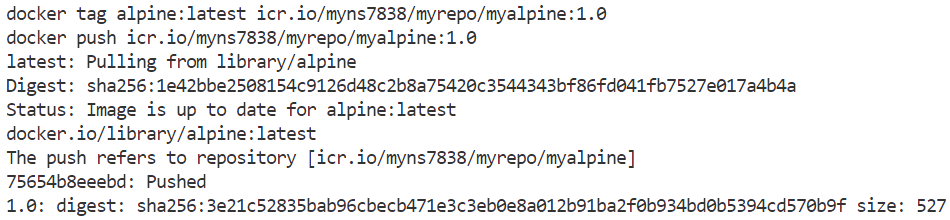
You should see output similar to that shown below:
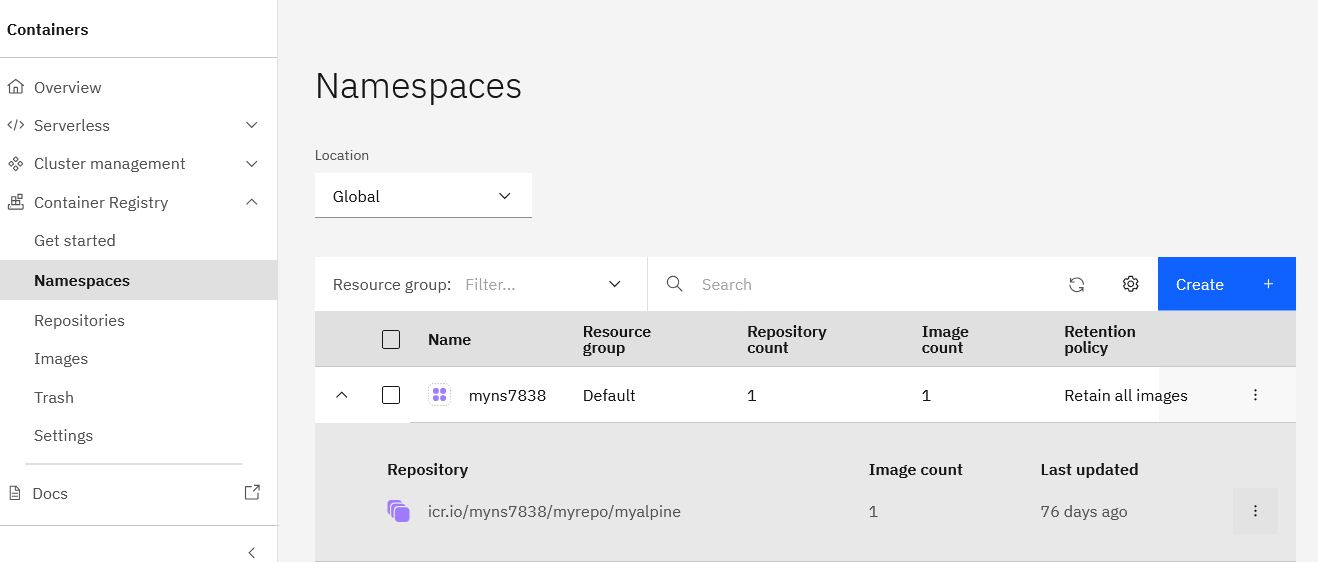
The newly-pushed image should also appear in the IBM Cloud dashboard.
IBM Container Registry supports the OCI standard and can also be used to store Helm charts. A number of configuration options are available for granular IAM-based access controls, activity logs, audit trails, vulnerability scanning for uploaded images, and quota management, all of which are described in the IBM Container Registry documentation.